
If you’re new to PAK67, this guide walks you through deposits and withdrawals using Easypaisa, JazzCash, bank card/account, and USDT via the official partner NO Wallet App. You’ll also see where to check the exchange rate and your actual credited amount inside the app.
Quick view in the Deposit screen: bottom-left = exchange rate; bottom-right = actual credit you’ll receive. Use the toggle to switch PKR ↔ USDT.
Supported Methods in PAK67
- Local e-wallets: Easypaisa and JazzCash for fast PKR deposits/withdrawals
- Crypto (USDT) via NO Wallet: register NO Wallet and fund USDT first
- Bank card/account: standard bank payouts (where available)
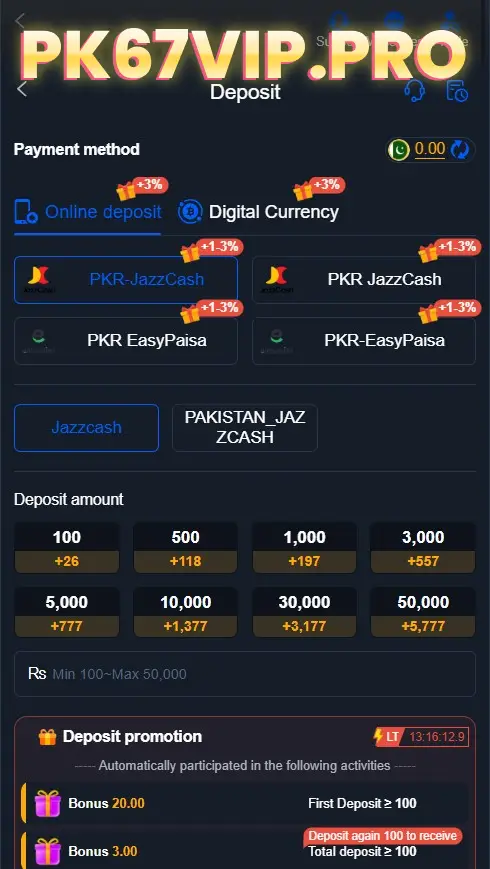
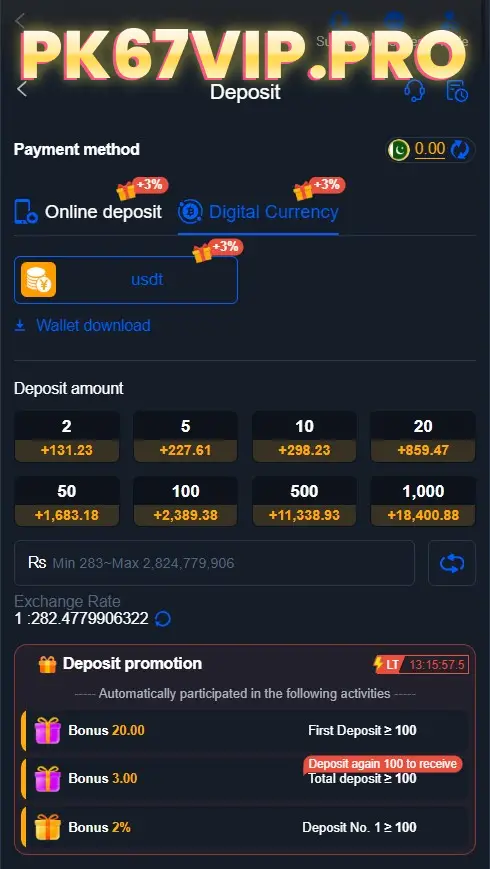
Easypaisa/JazzCash are the quickest for small PKR top-ups; USDT via NO Wallet is efficient for larger amounts or when banks are busy.
Deposit with Easypaisa / JazzCash (PKR)
Steps:
- Open PAK67 → Deposit Options
- Select Easypaisa or JazzCash.
- Bind your wallet info
- Choose a top-up tier and amount
- Confirm payment
- Return to PAK67—balance updates after payment is confirmed.
Tips:
- Make sure the bound name/number matches your e-wallet profile exactly.
- Keep the transaction ID until funds appear.
- On slower conneciton, wait for the page to settle—don’t double-tap Pay.
Common deposit issues & quick fixes
- Payment delay → rails can queue; wait a few minutes and contact in-app support with your refererence/transaction ID.
- Insufficient balance → top up your wallet first.
- Wrong wallet info → re-check number/name; re-bind if needed.
- Network jitter → toggle Wi-Fi/4G and retry.
Deposit USDT via NO Wallet (PAK67’s crypto route)
Prerequisites:
- Register a NO Wallet account and complete basic verfication (per NO Wallet).
- Add USDT to NO Wallet (correct network per NO Wallet instructions).
- Keep a small buffer for network fees.
Steps:
- Fund NO Wallet with USDT.
- In PAK67 → Deposit → Digital currency, enter amount.
- Check exchange rate (bottom-left) and actual credit (bottom-right).
- Toggle PKR/USDT if needed.
- Confirm and approve the transfer in NO Wallet.
- After on-chain confirmation, your PAK67 balance is credited.
Tips: Keep a small buffer for network fees. If credited late, save the TXID and contact PAK67 support teams.
Withdraw from PAK67 (JazzCash, Easypaisa, Bank, Crypto)
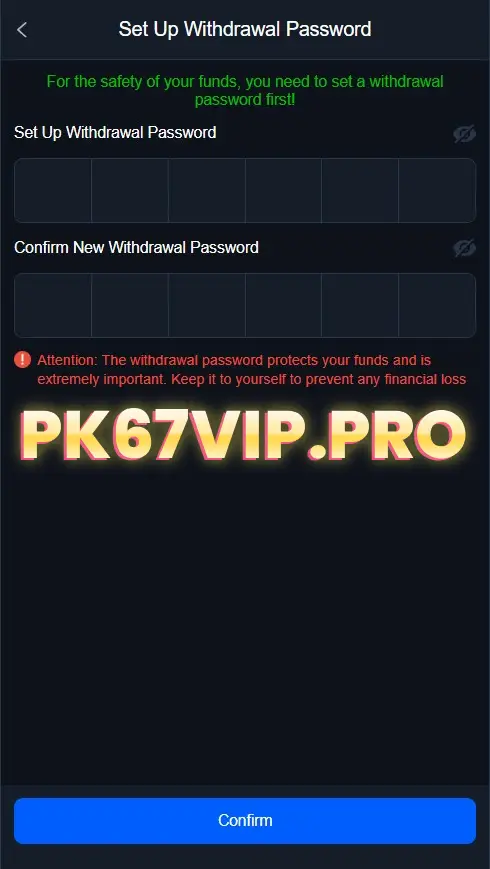
Before your first withdrawal: You need set a Withdrawal Password
- Required for all new PAK67 accounts
- Cannot be six identical digits (e.g., 111111 is invalid)
- Store it safely; do not share
Methods:
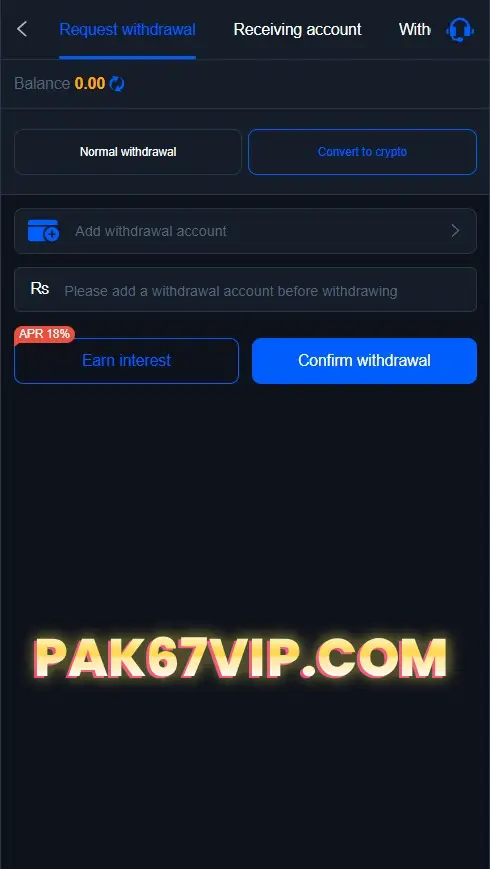
- JazzCash 2) Easypaisa 3) Bank card/account 4) Digital currency (crypto) — withdraw to a third-party wallet or the NO Wallet you submitted.
Flow:
Enter withdrawal password → Bind/verify payout details → Enter amount → Submit → Wait for review/processing.
Best practices:
- Use a real name matching your payout account.
- Double-check network/address for crypto.
- Keep request IDs and screenshots until funds arrive.
Fees, limits, timing in PAK67
Minimums, maximums, fees, and processing windows can change by method and verification status. Generally:
- Easypaisa/JazzCash: fastest for PKR
- USDT: efficient for larger amounts and off-peak banking hours
Troubleshooting PAK67 Payments
Deposit not showing?
- Did you pay the exact order amount?
- Are bound details (name/number/wallet) correct?
- For USDT, is the TXID confirmed on the correct network?
- If still stuck, contact PAK67 Support with method, amount, time, screenshots.
Withdrawal delayed/failed?
- Re-enter the withdrawal password.
- Confirm balance and minimum thresholds.
- Complete KYC if requested.
- Share the request ID with support if it remains pending.
Quick FAQ (PK67 deposit & withdrawal)
Yes—use the toggle on the Deposit page. Exchange rate is bottom-left; actual credit is bottom-right.
Yes—PAK67’s official crypto path uses NO Wallet for USDT deposits/withdrawals.
Security. All new accounts must set a non-trivial 6-digit code.
Yes. If it exceeds the per-transaciton cap, submit multiple requests within the allowed range.
Usually fast, but it depends on wallet/bank network load. If it’s unusually long, contact Support with your request ID.